WooCommerce store for building materials with 1C import, loyalty points and Nova Poshta delivery
Categories, products, photos and stock levels are pulled from 1C every week with no manual entry, and customers order delivery and pay with loyalty points online.
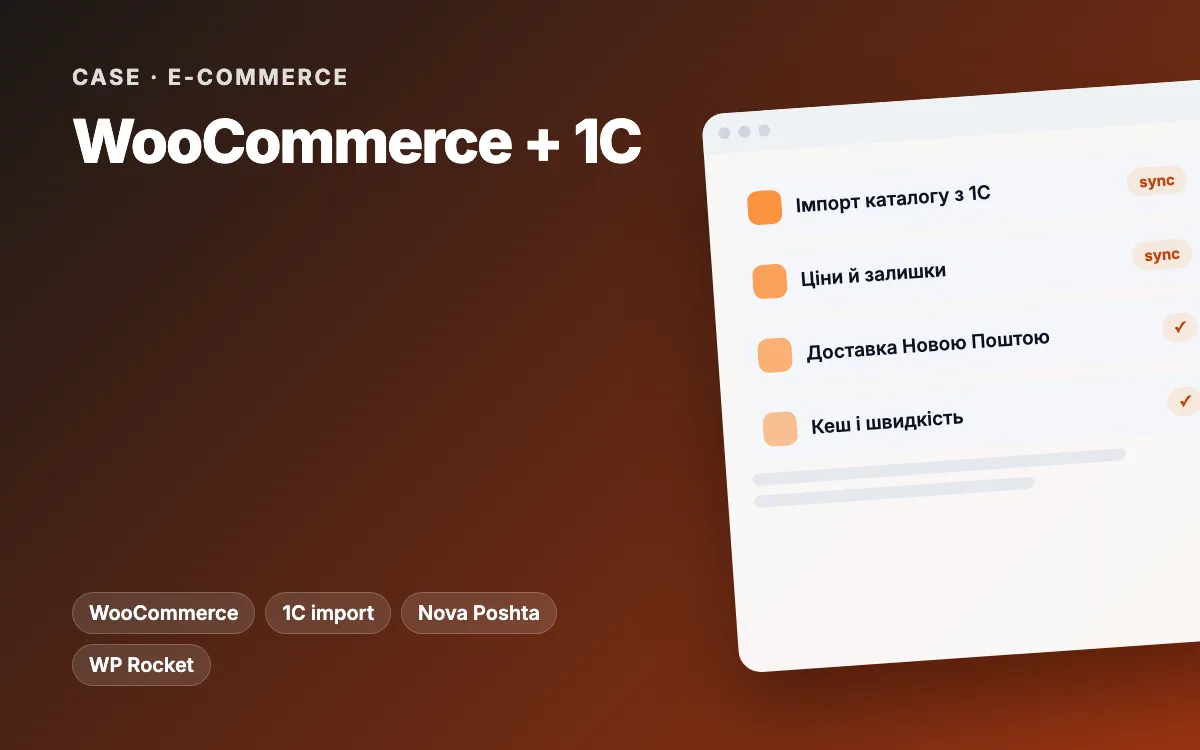
In short: for a building materials retailer in western Ukraine we built a WooCommerce store that pulls its category tree, products, photos and per-warehouse stock straight from 1C, the accounting and ERP system the business runs on. Imports run in background batches and automatically once a week. We added a loyalty programme synced with 1C, Nova Poshta delivery, one-click ordering, a Google Merchant Center feed and performance work. We supported the project from July 2024 to September 2025.
The client and the brief
The client is a building materials retailer in the Zakarpattia region of Ukraine with several warehouses (we will name it once the client approves). The whole range, prices and stock live in 1C. The catalogue is large: our export script checked 34,515 product records through the accounting system’s API and found 16,705 images.
The client wanted:
- an online store where products, prices and availability update from 1C, not by hand;
- nationwide delivery with Nova Poshta branch selection (Ukraine’s main parcel network) and online payment;
- a loyalty programme that works the same in store and online;
- a site that loads fast despite tens of thousands of products and is indexed correctly.
Constraints
- 1C is the source of truth. The website must not change the catalogue on its own; everything imported has to match the books.
- Ordinary hosting. Importing tens of thousands of products in one request runs into PHP time and memory limits.
- The client’s 1C server exposes data through an HTTP service that can respond slowly or with errors.
- Not every product has a photo or a category. Left alone, that means empty product cards and a junk “Uncategorized” category in menus, search and the sitemap.
- Managers are not developers. They need to run imports and see what went wrong from the WordPress admin.
The solution: architecture and stack
| Layer | What we used |
|---|---|
| Platform | WordPress, WooCommerce, a Storefront child theme |
| Content and home page blocks | ACF Pro: hero slider, categories, popular products, promo blocks, news, CTAs, a service page template |
| 1C integration | Our own import module over the 1C HTTP service, WP-Cron, an operations log |
| Delivery and payments | A Nova Poshta plugin with branch selection, a WayForPay payment module |
| SEO | Yoast SEO Premium, Cyr-To-Lat for Latin URLs, an XML feed for Google Merchant Center |
| Performance | WP Rocket, our own Image Optimizer plugin, query caching, database indexes |
| Security and operations | A hardening mu-plugin, Post SMTP for e-mail, UpdraftPlus backups |
Stage 1. Store and theme
- A Storefront child theme with its own product page, cart, checkout and account templates.
- The home page is assembled from ACF blocks, so managers change banners, product picks and promotions without a developer.
- Sort buttons instead of a dropdown, AJAX quantity changes in the cart, cart recommendations, a wishlist and a newsletter form.
- One-click ordering with its own order status, so managers spot these requests immediately.
Stage 2. Importing from 1C
- Category tree sync keyed on the 1C identifier: names can change without breaking the link.
- Products import in batches of 50, a few pages per background run. Each run queues the next one, so hosting limits stop being a problem.
- Photos are fetched from 1C by product ID; when there is none, the store logo is used instead of an empty card.
- Stock is stored separately for each warehouse.
- An admin page to sync categories, run the import, refresh stock, and view or clear the log. The log writes to a file and shows the latest 500 entries.
- An automatic import every Monday at 7 pm Kyiv time: categories first, then products.
Stage 3. Loyalty programme
- Points are earned on completed orders and redeemed as a discount at checkout. The client set the rules: 1% of the order value, 1 point = 1 hryvnia.
- A token-protected REST API for 1C: the accounting system reads and updates each customer’s balance, so points match online and in store.
- A separate table with the points history and a “Card” section in the customer account.
Stage 4. SEO, feed and performance
- The “Uncategorized” category created by imports is hidden everywhere: catalogue, widgets, breadcrumbs, REST API and sitemap, and its URL redirects to the shop.
- Latin URLs for products and categories, Yoast configured.
- The Google Merchant Center feed is generated by a system cron job from the command line rather than on a page request.
- WP Rocket, image compression, cached product queries, fewer cart AJAX requests, database indexes and faster admin queries.
Stage 5. Ongoing support
After launch we looked after the store until September 2025: WordPress and plugin updates, import improvements (a second version with separate stock sync), scripts that export products and images from the accounting API to CSV and JSON, and basic security hardening.
Challenges and how we solved them
- Catalogue size. A single-request import timed out. We split it into small batches with a WP-Cron queue: each run handles a few pages and schedules the next.
- Unreliable 1C responses. Every request to the accounting system is logged with a severity level, and one failed page does not stop the whole import.
- Products without photos. Instead of blank cards the store logo is shown. The full export showed the scale: 16,705 images for 34,515 records, so a fallback was needed from day one.
- A junk category. We removed “Uncategorized” from every output so it never reaches the index or the menus.
- Security. The mu-plugin hides the user list in the REST API, blocks author enumeration, disables XML-RPC and adds security headers.
Results
We do not publish sales or traffic figures without the client’s approval. In practice:
- the online range matches 1C with no manual transfer, and the weekly import needs no one to run it;
- managers see the import log and can re-run any step from the admin;
- customers’ loyalty points are the same online and in the physical store;
- shoppers anywhere in Ukraine order Nova Poshta delivery and pay online;
- products reach Google Merchant Center through the feed.
Timeline: July 2024 to September 2025, from launch to ongoing support.
What you can apply to your business
- Your accounting or ERP system is the source of truth. If prices and stock live there, the website should read them, not duplicate them.
- Large imports belong in batches. A background job queue is far more reliable than one long request.
- An import log in the admin saves hours: managers see errors without calling a developer.
- Missing data is still data. Decide what to show when a product has no photo, category or stock.
- Connect loyalty through an API. One programme for online and offline encourages repeat purchases.
Working out the real budget for a project like this? See how much a website costs.
Related services and reading
- Online store development and WordPress and WooCommerce development
- Business process automation, including accounting and ERP integrations
- Website support and SEO
- Problems this kind of project solves: your team is buried in manual work, you’ve outgrown your tools
- Another store case: Shopify with local delivery and a CRM
Need your accounting system connected to an online store? Tell us about your system and catalogue and we will propose an integration plan.