
Cart abandonment: how to reduce abandoned carts in your store
Shoppers abandon carts mostly because of surprises at the last step: delivery fees or surcharges nobody mentioned earlier, forced registration, missing payment options or a glitch on mobile. Some abandonment is unavoidable, but the causes within the store’s control can be found and removed.
Sound familiar? Tick what applies
Tick the points you recognise.
Someone who has put a product in the cart is your warmest customer: they’ve already chosen, compared and almost paid. Every abandoned cart is money already spent on bringing them in, and a sale that often goes to a competitor with a simpler checkout. Until you find the cause, a bigger ad budget just means more abandoned carts.
Shoppers abandon their carts: why it happens
- 01
Unexpected costs at the end
Delivery fees, payment surcharges or a minimum order amount only appear at the last step. The shopper feels misled and leaves. How to check: add a product to the cart and note the step where the full total first appears.
- 02
Forced registration
The store makes people create an account and a password before paying. For a first purchase that’s an unnecessary barrier. How to check: can you order as a guest with just an email and phone number?
- 03
Long, confusing checkout
Unnecessary fields, several pages instead of one, no address autocomplete: every small hurdle is a reason to put the purchase off. How to check: count fields and clicks from cart to payment in a test order on your phone.
- 04
Missing payment or delivery options
No card payment, Apple Pay, Google Pay or PayPal, or not the delivery option people expect, so the shopper can’t finish the way they’re used to. How to check: ask a few customers how they usually pay and compare with your checkout.
- 05
Doubts before paying
Unclear return terms and delivery times, no contacts, no reviews. At the final step the shopper lacks confidence. How to check: are delivery times, the returns policy and a contact visible on the checkout page?
- 06
Slow checkout on mobile
The checkout loads the same heavy scripts as the rest of the store, and the payment page takes ages. Shoppers don’t wait. How to check: run the cart page through PageSpeed Insights in mobile mode.
- 07
Technical glitches you don’t know about
The form breaks in one browser, the keyboard hides the button on mobile, a promo code empties the cart. Without tracking, none of this is visible. How to check: place test orders from an iPhone and an Android phone in different browsers.
How we fix it
- 1
Checkout audit
We go through a purchase on different devices and browsers, checking every field, step and error message. You get a prioritised list of issues.
- 2
Funnel tracking
We set up e-commerce events: product view, add to cart, checkout start, payment. You see exactly where shoppers drop off and which source they came from.
- 3
A simple checkout
One-page checkout, guest purchase, address autocomplete, delivery cost visible in the cart, and the payment methods your customers expect. For a supplements brand on Shopify, for example, we built a custom checkout with local delivery and payment integrations.
- 4
Win back those who left
Automatic cart reminders for shoppers who left an email and opted in, plus remarketing audiences for your ads.
Services that solve it
Online store
A store that is easy to buy from and easy to run: catalogue, payments, delivery, e-mail marketing.
from €2,000Learn moreTechnical audit and discovery
An in-depth review of speed, SEO, security, code and integrations with a prioritised report and a fix estimate — so you know where to invest.
from €300Learn moreAnalytics and tracking
So your ads learn from real sales and you see which channel makes money: clean tracking without duplicates, server-side tagging and reports you can trust.
from €500Learn moreRelated case studies
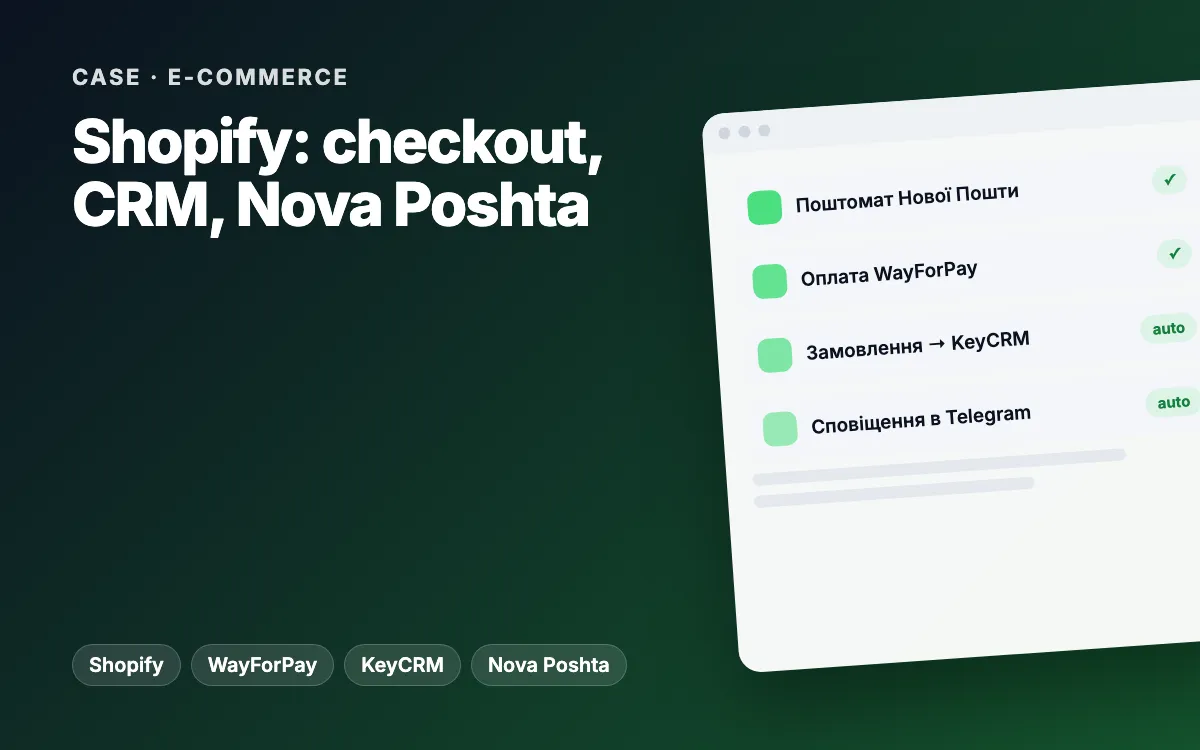
Shopify store for a supplement brand: custom checkout with Nova Poshta, WayForPay and KeyCRM
Every order from the custom checkout lands in Shopify, KeyCRM and Telegram on its own, and customers pick a Nova Poshta branch or parcel locker and pay online without calling a manager.
Learn moreShopify tracking and attribution audit: duplicate tags removed, missing order sources traced
We found why Google Ads, GA4 and Shopify disagreed: the GTM container loaded three times per page, cart events carried a sandbox URL and 40.7% of online orders had no source. We delivered a fix release with one-click rollback and a plan for every acceptance criterion.
Learn moreArticles on the topic
Abandoned carts: why shoppers don’t finish checkout and what actually works (WooCommerce and Shopify)
Why shoppers abandon carts on WooCommerce and Shopify: surprise costs, forced sign-up, long checkout, errors. A self-check and the fixes that work.
Read E-commerce Shopify vs WooCommerce · 9 min readShopify vs WooCommerce: which platform to choose for your online store
Shopify vs WooCommerce compared: running costs, payments, SEO, speed, flexibility and migration. A side-by-side table, typical scenarios and real projects.
Read Speed Slow site, lost sales · 7 min readSlow website: how speed costs you sales and what to fix first (Core Web Vitals in plain English)
Why a slow website costs you leads and sales. Core Web Vitals in plain English: LCP, INP and CLS, how to measure them yourself and what to speed up first.
ReadFAQ
How do I quickly find why carts are abandoned?
Place a test order from your phone on mobile data and note everything annoying: extra fields, a surprise total, slow loading. Then check in analytics at which step most people leave.
Can checkout be fixed without a new store?
Usually yes: on most platforms the cart and checkout can be improved on their own. A new store makes sense when the platform won’t let you change checkout or is slow itself. A turnkey online store starts from €2000.
Can cart abandonment be eliminated completely?
No: some people will always use the cart as a wish list or to compare prices. The goal is to remove the causes within your control: price surprises, complicated forms, technical glitches.
Do abandoned cart emails work?
They win back some shoppers, but only those who left a contact and agreed to marketing. So fix the causes first and treat reminders as an add-on.
Where do I start?
With analytics setup (from €500) to see where buyers drop off, or a technical audit from €300. For a quick check, run the free instant audit on our home page.
Other problems we solve
Slow-loading website
Pages take seconds to open, even longer on a phone — and people don’t wait.
How to fix itOutdated website
Your site looks like the company closed years ago — and customers have doubts.
How to fix itSelling only on Instagram
Every order comes through DMs, and you answer “how much?” by hand every time.
How to fix itTraffic, but no enquiries
People visit, look around and leave — no call, no message, no form.
How to fix itEnquiries get lost
Enquiries are scattered across Instagram, Telegram, email and phone — and some simply vanish.
How to fix itCustomers wait too long
Someone messages in the evening or at the weekend and hears back the next day — after buying elsewhere.
How to fix itCheck my store for lost orders
We check your site the way customers and Google see it and send a short report with specific action points — no strings attached.
- Speed and mobile experience
- Title, description, H1, schema.org, sitemap
- Forms, click-to-call, online booking
- Analytics, Pixel and ads
- HTTPS and security headers
Tell us about your project
We reply within one business day. Or message us on your favourite messenger.
- Reply within one business day
- Free consultation and estimate
- NDA on request, before we start