Digital AI university: learning platform with an AI assistant and an applicants CRM
The university has its own platform where courses, tests, timetables, internships, support and applicant enquiries live in one system, while AI drafts courses and answers students from each subject’s material.
In short: working alongside another developer, we built a Ukrainian university its own AI-assisted learning platform. Between June and October 2026 it grew from a one-subject pilot into a system with courses, tests, a gradebook, timetables, internships, support, an admissions module and an English version. Courses are generated from the university’s syllabi, and the AI assistant answers students only from the material of the subject they are studying.
The client and the brief
The client is a Ukrainian university (we will name it once the client approves) piloting AI-assisted digital learning. Phase one covered a single specialty, Law, and a single subject, Theory of State and Law. Scaling to other subjects and specialties came next.
It wanted one system rather than a patchwork of services:
- courses, modules, lessons and auto-graded tests;
- roles for students, teachers, administrators, accountants and the admissions office;
- an AI assistant for students and an AI helper for preparing courses;
- timetables, semesters, internships, documents, messaging and support;
- a separate flow for applicants.
Constraints
- Business architecture first. At the first meeting we agreed that entities and relationships (course, cohort, role, test, assistant) come before anything built just to impress in a demo.
- Volume of content. 308 syllabi and around 136 subjects with lessons of roughly 1,200 words each: far too much to enter by hand.
- AI cost. Generation and translation had to be bulk, resumable and cheap, and human edits must survive a re-run.
- Reliability. The assistant must not make things up: answers come only from course material, with the source cited.
- No manual production fixes. Schema changes go through migrations only, and deploys run from one script.
The solution: architecture and stack
| Part | Technology | What it does |
|---|---|---|
| Front end | React, TypeScript, Vite, Radix UI, react-i18next | Student, teacher and admin areas in Ukrainian and English |
| API | NestJS, TypeORM, PostgreSQL | Courses, cohorts, tests, grades, roles, timetables, internships, support, applicants |
| AI service | Python, pgvector | Material indexing, search, cited answers, syllabus parsing, course generation and translation |
| Infrastructure | Docker Compose, nginx, TLS | Images built locally and shipped to the server, backups, monitoring with Telegram alerts |
The AI service is a separate gateway: nothing else in the system imports a model SDK. Gemini is the default, and OpenAI can be switched in with an environment variable, no code changes.
Stage 1. MVP: one course end to end
The thinnest complete loop: a teacher creates a course with material and a test, enrols a cohort, and a student reads the lessons, takes an auto-graded test and asks the assistant questions answered from that course’s material.
Stage 2. Bulk course import
- Syllabus parsing from PDF, DOCX, ODT and plain text: lectures, seminars, hours, modules and topics. Legacy .doc and .rtf files are rejected with instructions to re-save them, so garbled text never reaches a generated lesson.
- Generation of course structures and draft lessons. One subject takes a few minutes and about $0.35 at full price, or half that through the provider’s batch API with up to a 24-hour wait.
- Every generated lesson stores the model, prompt version and raw reply, so months later you can still trace where a text came from.
Stage 3. Rules for AI content
At the university’s request, AI-generated modules are locked to teachers. Teachers add their own modules freely, but changes to AI modules or to grades go to an administrator as a change request to approve or reject with a note. The generated curriculum stays a reviewable source of truth and the gradebook stays intact.
Stage 4. Teaching and support
- A gradebook, cohorts, specialties and programme semesters, a study plan, and an import of the dean’s office timetables for every group.
- Internships with placements, diaries and sessions; a resource library, flashcards, messages to individuals or whole cohorts, reminders and branded e-mails.
- Support: tickets, Telegram alerts to the administrator with an AI-drafted reply that can be accepted with one tap or replaced, and Jira tasks created from the same bot after confirmation.
- A payments module: access is blocked when fees are overdue, with a one-off one-month extension and a page with payment details.
- A 3D virtual practice simulator for practical classes.
Stage 5. Applicants and the English version
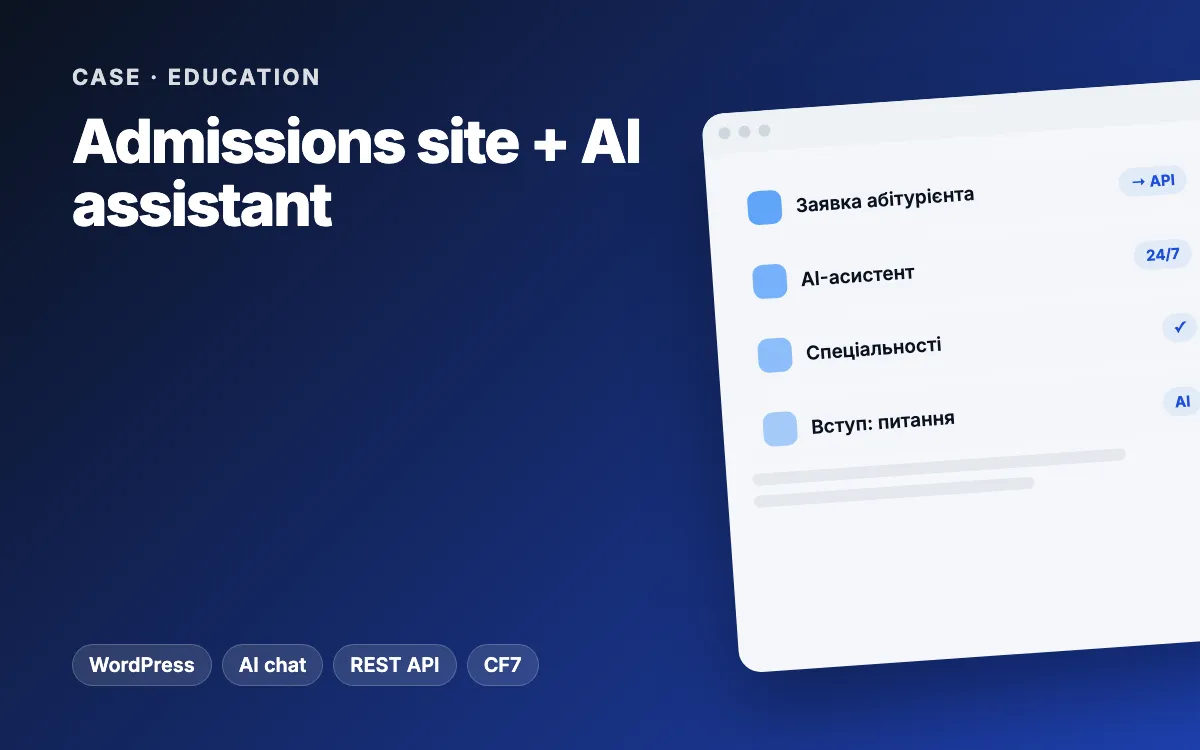
- An “Applicants” module: enquiries from a separate admissions website land straight in the admin with access for the admissions office, and that site’s public AI assistant runs through the platform’s API.
- A read-only demo mode with fictional data, so the platform can be shown on the landing page without real names.
- A bilingual interface with translation parity enforced by types. Course content is translated in bulk with a legal glossary, and the assistant replies in the student’s language.
Who did what
We built the platform together with another developer, working through pull requests and Jira tasks. Our part: the applicants module and the landing-page assistant API, demo mode, the timetable import, the payments module, the AI content lock and change requests, notifications and branded e-mails, mobile layouts, the English interface, ESLint in CI and the 3D practice simulator. Our colleague led course generation and translation, Telegram support and the core of the AI service.
Challenges and how we solved them
- One specialty spelled three ways after importing from folders. Specialty became its own table, and a semester became “semester N of a programme” instead of calendar dates the syllabi never contained.
- Errors in syllabi. The parser never guesses silently: if the hours do not add up or there are more topics than classes, it returns a warning and flags values that fell back to a default.
- AI cost. Re-uploading an identical document is not indexed twice, and bulk jobs go through the batch API at half price, with a cost estimate before anything runs.
- Protecting production. Migrations instead of manual database edits, backups, Telegram alerts for disk, memory and restarting containers, and a runbook for operations.
Results
Usage figures (student numbers, activity, answer quality) will be published once the university approves. What already works:
- one system instead of several services for learning, internships, support, payments and admissions;
- subject courses are created from syllabi rather than typed in by hand;
- the assistant answers from course material and in the student’s language;
- the administrator answers support requests from Telegram in seconds;
- production updates run from a single script.
Scope: more than 330 commits from June to October 2026, with work ongoing.
What you can apply to your business
- Entities and roles first, interface second. A sound data model scales from one course to a hundred.
- Route AI through its own gateway. Switching provider becomes an environment variable, not a rewrite.
- Record where AI content came from: model, prompt and version.
- An AI draft plus human approval is the simplest way to speed up support without the risk.
- Batch your bulk AI jobs and estimate the cost before you start.
For more examples, read our piece on AI agents for business.
Related services and reading
- Web platforms and SaaS and AI services
- CRM development and chatbots
- Problems: customers wait too long, your team is buried in manual work
- Related case: admissions website with an AI assistant
Want your own AI-assisted platform for learning or internal processes? Tell us what you need and we will suggest a first phase you can launch quickly.